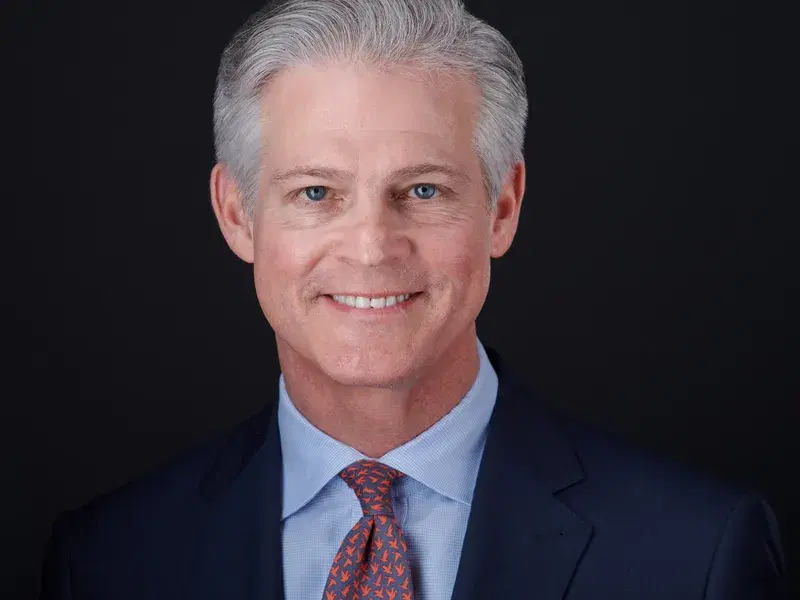
Portrait or Landscape?
The instinct is 'vertical subject, vertical frame.' I disagree, and it's why I shoot almost everything horizontal.
A portrait crop eliminates the shoulders. That sounds minor until you see it: the subject looks compressed, like they've been stuffed into the frame. Shoulders anchor the subject, project composure, and signal authority. Shooting landscape preserves all of that.
The practical upside: different platforms have different requirements. LinkedIn wants square. A press kit wants vertical. A website grid might want either. A landscape original with the shoulders preserved can be cropped to fit almost any use case (square for digital, portrait orientation when a specific application requires it) without losing anything critical. You don't need a separate shot for every format. You need one well-composed image with enough information in it.
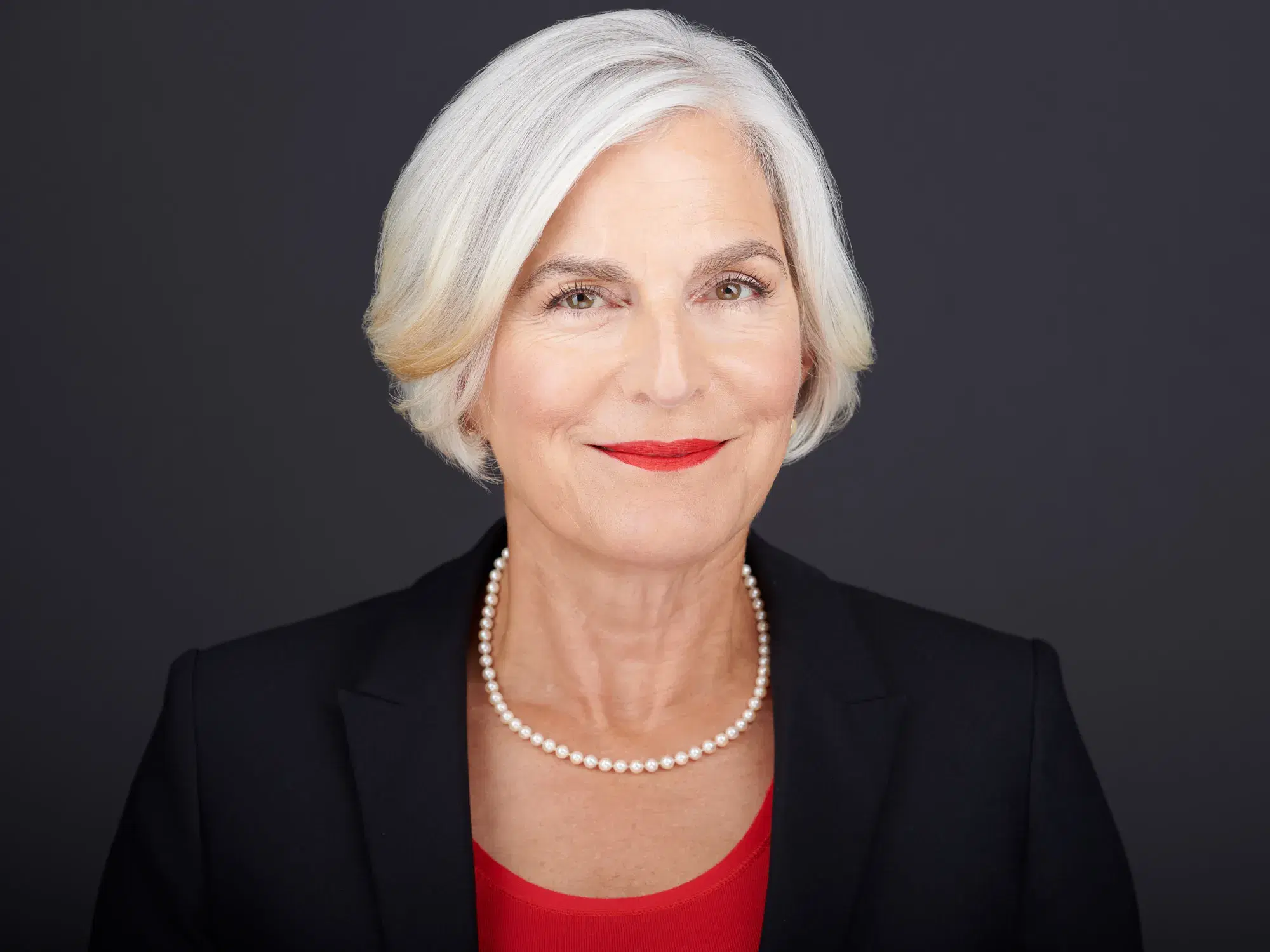 Landscape: shoulders preserved
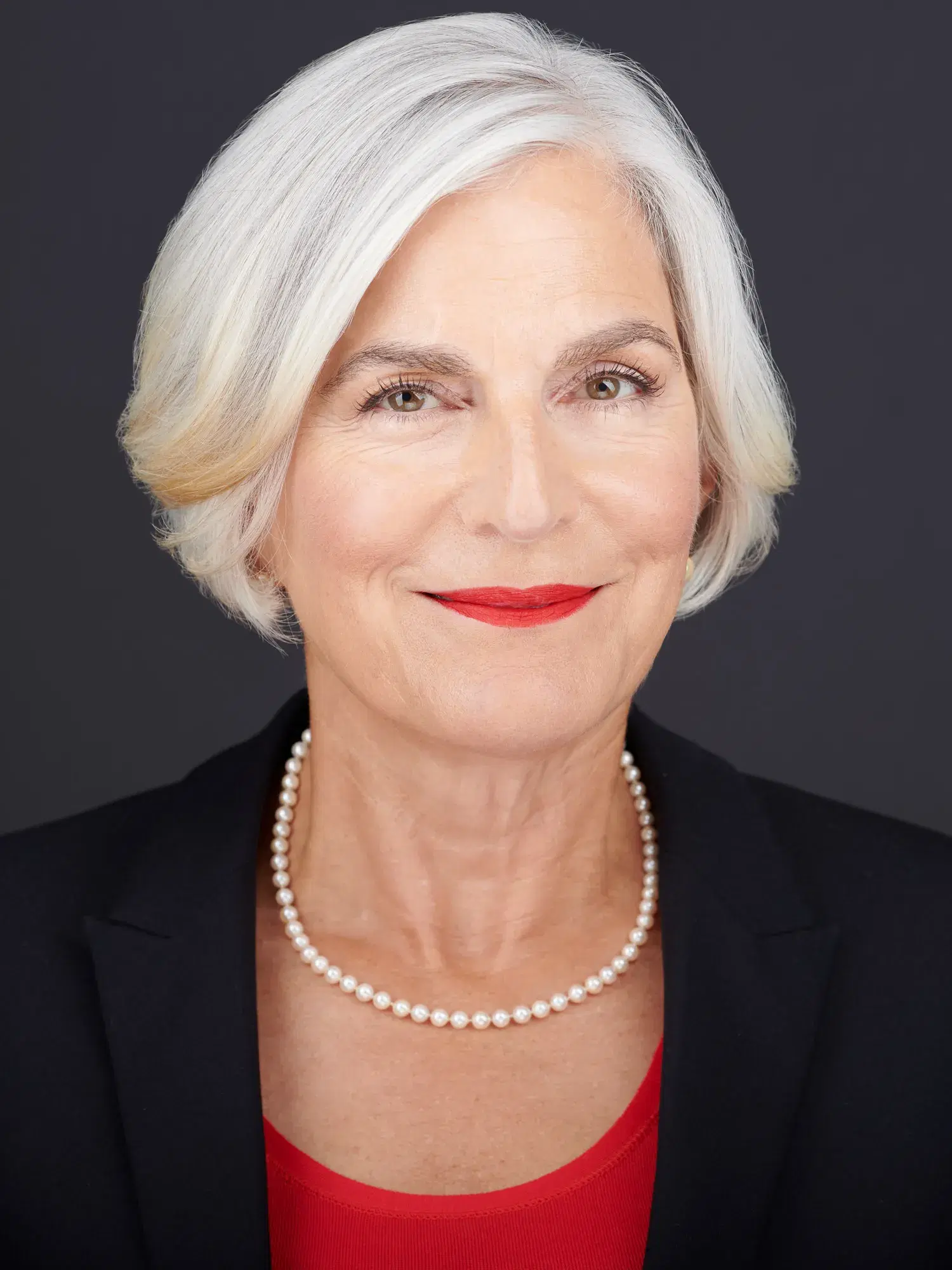 Portrait: shoulders cut
Same subject, same session. Landscape preserves the shoulders and the authority they project. Portrait crops them out.
Should You Crop the Top of the Head?
It's not a rule, but it does work, for specific reasons, for those interested in and willing to defy convention.
Emotion lives in the eyes and mouth. Hair is a secondary player. In a headshot, where the frame is already small and the audience is already scrolling past, you want every pixel working toward the thing that actually creates connection. Cropping the top of the head shifts emphasis to where it belongs: the face.
It pulls the viewer closer. Toggle between an uncropped version and a slight head-cropped version (as seen in the example below) and you'll feel it before you analyze it. The cropped version creates a greater level of virtual intimacy: just a bit closer, and because of that, a bit more connected.
It creates compositional tension, intentionally. In many portraits I turn the body one direction and the head subtly the other. That crossing dynamic creates a pleasing visual energy that a straight-on shot can't produce. The head crop works the same way: the frame cuts where the eye doesn't expect it to, and that small friction makes the image feel intentionally considered rather than run of the mill and rote.
It raises the eyes into the upper third. Eyes in the upper third of a frame command attention. Drop them to the middle and the subject recedes. Raise them and they lead. Cropping the head is the only way to get there without recomposing: pulling back, shooting wider, and completely losing intimacy with the viewer.
It stands out. Browse LinkedIn for five minutes. Safe crop, full head, air above, repeat. A tight crop breaks the pattern. Different gets noticed. Noticed leads to remembered, and in a headshot, that's the whole job.
The crop has to land right. The sweet spot is just below the hairline; any lower or tighter reads as awkward and a mistake. I typically frame to just below the collar points on a dress shirt. The goal is to optimize the limited real estate available in a headshot while maximizing emotional connection with the viewer. Crop, orientation, framing: it's a juggling act, and all of these decisions work together toward that same end.
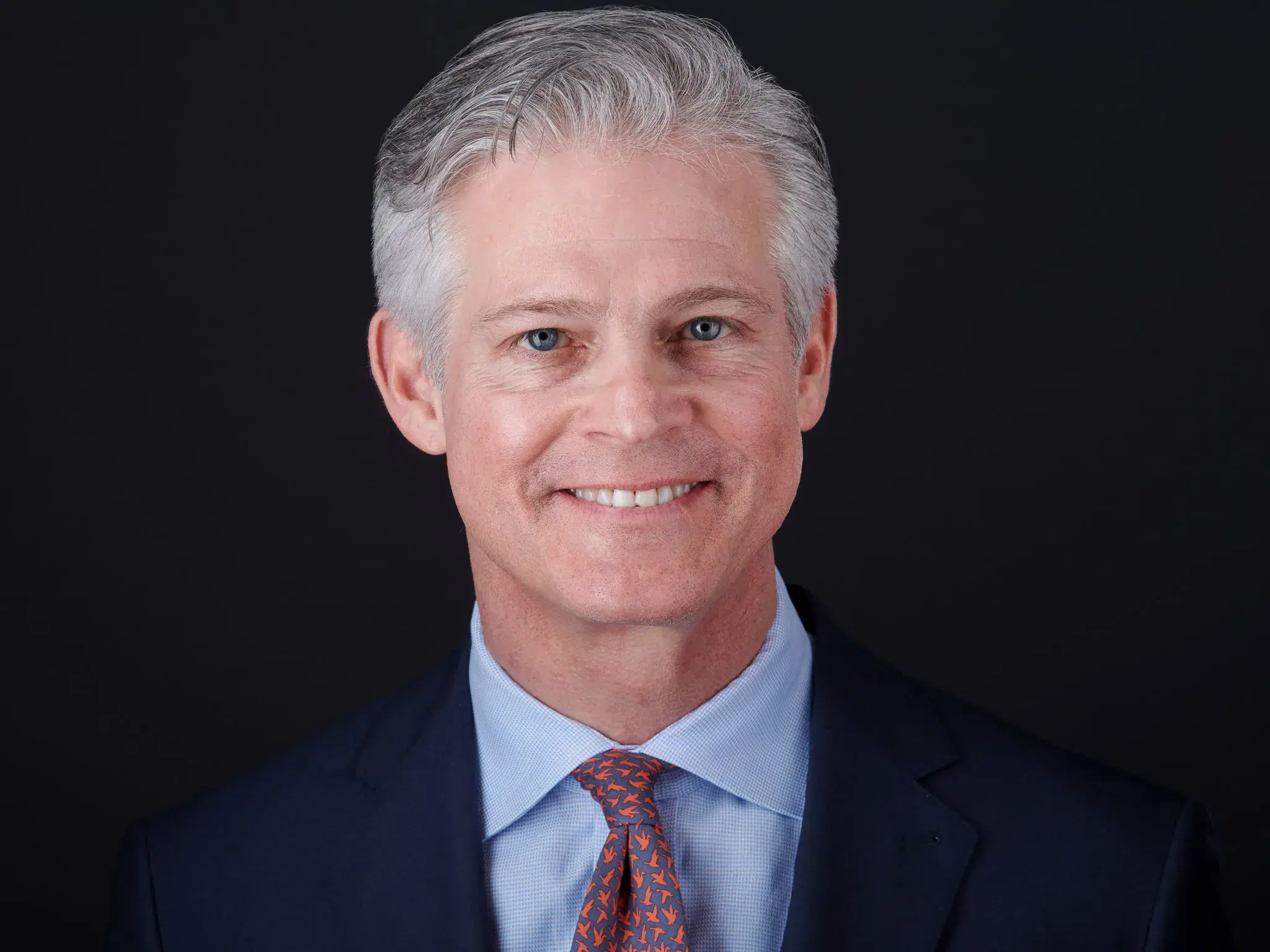 Full head: eyes centered
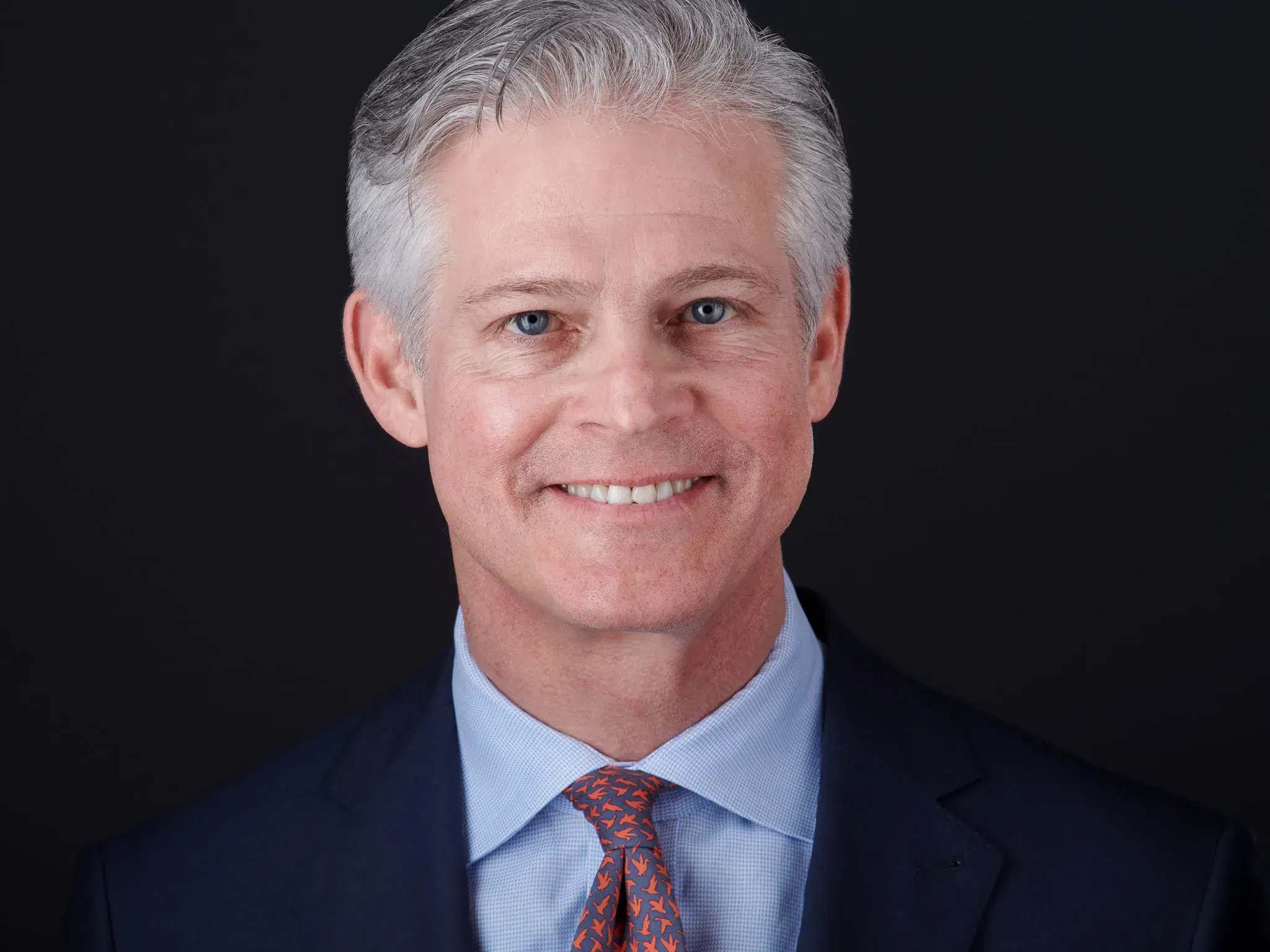 Head crop: eyes in upper third
Same session, same subject. Watch how the tight crop shifts the eyes into the upper third and pulls you in.
Aspect Ratio
1:1 (square) is the safest default for digital use. LinkedIn, company websites, speaker bios, conference programs: most platforms display headshots in a square or circular format. A square crop survives all of them without awkward auto-cropping. If you're keeping one version, keep the square.
4:5 or 3:4 (vertical rectangle) is what editors and print designers typically want: press kits, brochures, event programs, rack cards. As long as your photographer shot landscape with shoulders preserved, there's enough in the frame to deliver this without a separate shoot.
Resolution
The number to know: 2048 pixels on the long edge.
That's the threshold above which Facebook's compression algorithm starts degrading the image, and what holds up on Facebook holds up everywhere: LinkedIn, your website, email signatures, virtually every digital platform you'll encounter. It also works well for most print applications: mailers, brochures, headshots in programs and press kits.
At 2048px you have genuine flexibility. Crop to square, resize for a badge, drop into a presentation, upload to any platform, all without visible quality loss.
What to Expect From Your Photographer
Different platforms have different optimal dimensions, but a good photographer should deliver one image (shot landscape, cropped tight, 2048px on the long edge) that works across virtually all of them. For clients with specific needs, multiple crops sized for different applications should be available.
If you receive a file that's 800px wide, heavily compressed, or cropped so loosely your face is a quarter of the frame, those aren't stylistic choices. They're delivery failures.
The Short Version
Crop tight. Shoot landscape, preserve the shoulders. Square for digital, portrait when a specific application requires it. 2048px. The file your photographer delivers should work everywhere you need it.
Ready to get a headshot you're actually proud of?
Book Your Session